
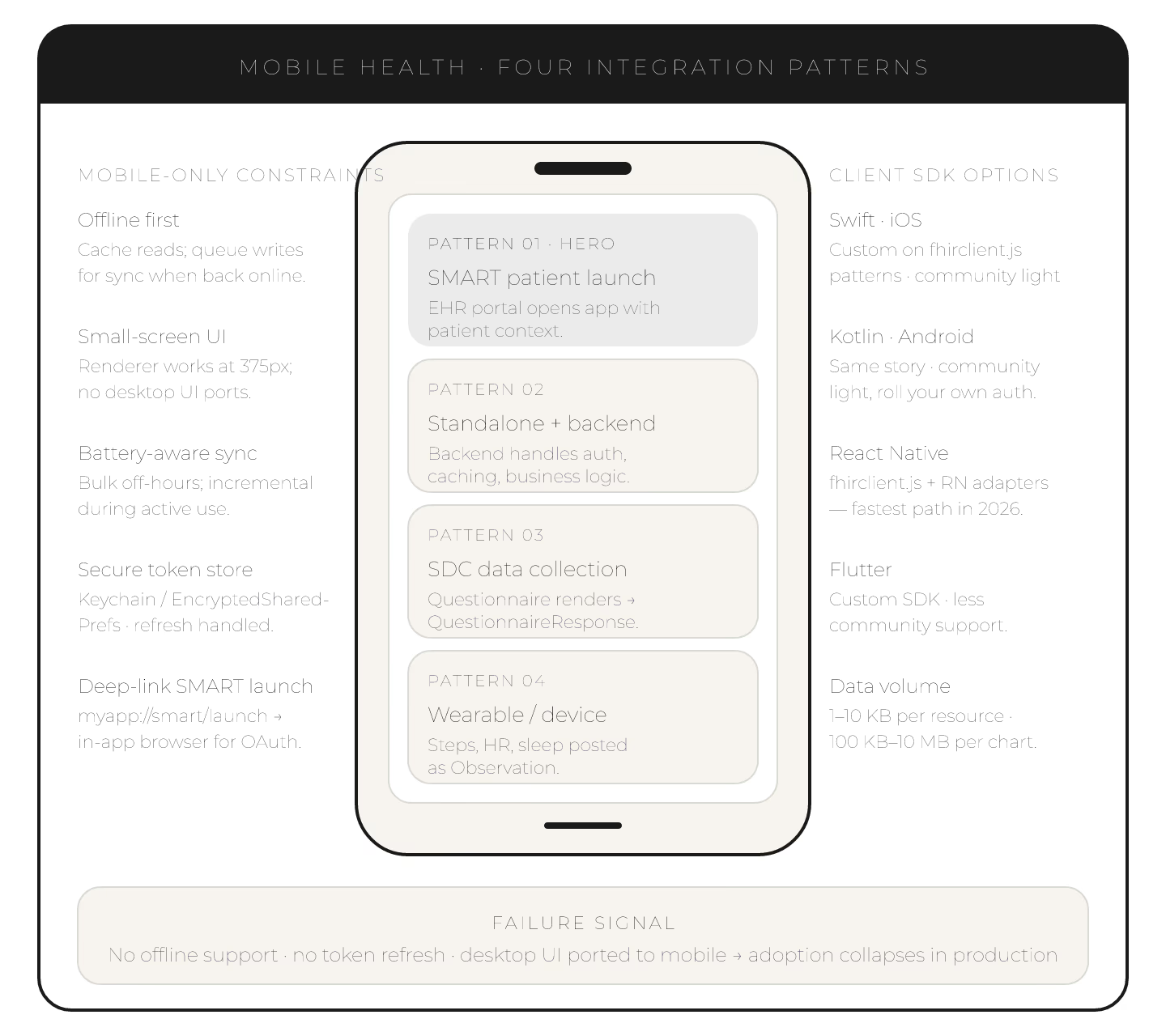
Mobile health apps integrating with FHIR-based EHRs in 2026 follow four established patterns. Understanding them shapes app architecture.
**Pattern 1: SMART on FHIR patient launch.** Patient launches app from EHR patient portal or standalone. App receives patient context, reads FHIR resources.
Pattern 2: Standalone patient app with backend integration. Mobile app talks to a backend that talks to FHIR. Backend handles auth, caching, business logic.
Pattern 3: SDC-based data collection. Mobile app renders SDC Questionnaire for patient data entry. QuestionnaireResponse posted to FHIR store.
**Pattern 4: Wearable/device integration via Observation.** Device data (steps, heart rate, sleep) posted as Observation resources.
Mobile-specific considerations
1. Offline support. Cache FHIR reads locally; queue writes for sync. 2. Small screen UI. Renderer must work at 375px width. 3. Battery efficiency. Bulk syncs off-hours; incremental during use. 4. Native or web. Native (Swift, Kotlin) vs. web (React Native, Flutter).
SMART launch on mobile
1. Deep linking: launch URL scheme (myapp://smart/launch). 2. In-app browser for OAuth flow. 3. Token storage in secure keystore. 4. Refresh handling for long sessions.
Client SDK options
| Language | SDK |
|---|---|
| Swift (iOS) | Custom on fhirclient.js patterns |
| Kotlin (Android) | Custom on fhirclient.js patterns |
| React Native | fhirclient.js with RN adapters |
| Flutter | Custom, less community support |
Common mobile integration mistakes
1. No offline support → app unusable in low-connectivity. 2. Desktop UI patterns on mobile → poor UX. 3. Missing token refresh → session drops. 4. All-at-once sync → battery drain. 5. Insecure token storage → security incidents.
Data volume considerations
1. Reads: Patient + Observation + Condition + MedicationRequest is 1-10 KB per resource. 2. Bulk sync: full patient chart ~100 KB to 10 MB. 3. Incremental via _lastUpdated — small deltas.
Mobile health on FHIR is well-supported. Choose SMART launch for tight EHR integration; standalone with backend for broader use cases.